PowerShell Training In Chennai

Get in-depth knowledge of task automation and configuration management with the Powershell Online Training.

Join the cohortGet instant access (self-paced)

(4.8)
726 learners
Trusted by 130+ corporates
Join the cohortGet instant access (self-paced)
PowerShell Training In Chennai

Course Features

100% Money back guarantee
  • Real-time Use cases

  • 24/7 Lifetime Support

  • Certification Based Curriculum

  • Flexible Schedules

  • One-on-one doubt clearing

  • Career path guidance

About PowerShell Training in Chennai

This PowerShell course in Chennai is packed with concise illustrations that will help you learn the basics in no time. The training focuses on core PowerShell principles, the building blocks of PowerShell, shell scripts, and more, allowing you to control a variety of Microsoft products, including Azure and SQL. After completion of the PowerShell online training course, you will be completely competent in using Windows PowerShell for your administrative needs.

Powershell Training
demo play

Course Coverage

Your Course Journey — From Enrolment to Career Readiness

What to Expect from Your PowerShell Training

Six guided stages take you from your first PowerShell console session to your first automation-focused offer - each one backed by a specific MindMajix support service.

Stage 1

Enrol & Get Set Up

Pick live online or self-paced, activate your 1-year LMS access, and install PowerShell 7 with Visual Studio Code - so you are running cmdlets and scripts from day one on Windows, Linux, or macOS. Everything you need is free and open-source; no paid software required.

  • Live or self-paced
  • 1-year LMS access
  • Agile & Scrum add-on
  • PowerShell 7 + VS Code setup
Stage 2

Learn & Build Real Skills

Master PowerShell on the current 7.5 release - applying every concept in hands-on labs and real-time Active Directory, file-system, and Azure automation projects with one trainer throughout.

  • Instructor-led + labs
  • 1-on-1 doubt clearing
  • Recording access
  • Object pipeline & cmdlets
  • Functions
  • modules & error handling
  • Remoting & AD/Azure automation
Stage 3

Earn Your Certificate

Clear the assessments for your shareable MindMajix completion certificate. Modules map to the PowerShell-heavy objectives of Microsoft's AZ-040T00 exam-aligned prep. Note there is no standalone PowerShell exam - and we say so honestly.

  • MindMajix certificate
  • Practice questions
  • AZ-040T00 aligned
  • Scripting & pipeline tests
Stage 4

Polish Your Profile

Turn skills into a profile recruiters notice - build an interview-ready resume and a strong LinkedIn presence, positioned for PowerShell automation, Windows administration, and Azure roles, using proven PowerShell resume templates and a GitHub script portfolio.

  • Resume building
  • LinkedIn optimisation
  • Resume templates
  • GitHub script portfolio
Stage 5

Practice Interviews

Walk in already rehearsed. Sit structured mock-interview rounds with experienced SMEs and get focused feedback on cmdlets, pipeline logic, scripting, and real automation scenarios, including live code challenges.

  • Real-time Scenarios
  • Personalised feedback
  • Powershell mock interviews
  • PowerShell mock interviews
  • Live code challenges
Stage 6

Land Your Role

Apply with confidence using job-search assistance and referrals to hiring partners across India and the USA, and keep growing your automation portfolio toward Windows admin, DevOps, and cloud roles. (Career support provided; placement not guaranteed.)

  • Job-search assistance
  • Hiring-partner referrals
  • Role guidance
PowerShell DeveloperWindows Server / AD AdministratorAzure Automation EngineerDevOps / Platform Engineer

Start the journey today - choose the format that fits you.

PowerShell Course Content

You will be exposed to the complete Powershell Trainingcourse details in the below sections.

13Modules
50Topics
Open any module to view the full topic list.
  1. 01Getting Started with PowerShell4 topics
    • PowerShell overview
    • Object-based architecture
    • PowerShell evolution
    • Windows PowerShell vs PowerShell 7.6
  2. 02Setting Up Your Environment4 topics
    • Install PowerShell 7.6
    • Configure VS Code & PowerShell extension
    • Customize profiles and console
    • Windows PowerShell ISE overview

    Lab: Environment setup & first script

  3. 03PowerShell Syntax & the Help System4 topics
    • Command syntax (Verb-Noun)
    • Using Get-Command
    • Using Get-Help
    • Transcript logging

    Lab: Common cmdlets

  4. 04Cmdlets for Administration4 topics
    • Active Directory cmdlets
    • Network administration
    • Server management
    • Secure credential handling

    Lab: AD user management & CSV import

  5. 05Working with the PowerShell Pipeline4 topics
    • Pipeline fundamentals
    • Object filtering
    • Sorting and formatting
    • Data selection

    Lab: Export user information

  6. 06The Pipeline in Depth4 topics
    • Pipeline internals
    • ByValue vs ByPropertyName
    • Object binding
    • Advanced pipeline techniques

    Lab: Pipeline exercises

  7. 07Working with Providers4 topics
    • PowerShell providers
    • PSDrives
    • File System & Registry providers
    • Active Directory provider

    Lab: Provider-based administration

  8. 08Variables, Arrays & Hash Tables4 topics
    • Variables and data types
    • Arrays
    • Hash tables
    • PowerShell objects

    Lab: Variables & collections

  9. 09Basic Scripting4 topics
    • Script input and output
    • Conditional statements
    • Loops and iteration
    • Script execution

    Lab: Password generator & file parsing

  10. 10Advanced Scripting, Functions & Modules4 topics
    • Advanced functions
    • Error handling
    • PowerShell 7.x operators
    • Module creation & PSResourceGet

    Lab: Functions and modules

  11. 11Administering Remote Computers4 topics
    • PowerShell remoting
    • PSSessions
    • Remote management
    • Remoting configuration

    Lab: Remote administration

  12. 12Real-World Automation Projects5 topics
    • Active Directory automation
    • Azure automation
    • Monitoring automation
    • Networking automation
    • REST APIs & JSON
  13. 13Practice Test & Interview Questions1 topic

    Free sample practice test, plus MindMajix's PowerShell interview questions & answers and resume samples to get you interview-ready.

Hands on PowerShell Online Training Projects

Our Powershell Training course aims to deliver quality training that covers solid fundamental knowledge on core concepts with a practical approach. Such exposure to the current industry use-cases and scenarios will help learners scale up their skills and perform real-time projects with the best practices.

  1. PowerShell Help Plus (PS+) Module #1

  2. PowerShell Help Plus (PS+) Module #2

logoTraining Options

Choose how you learn best

Both options cover the full curriculum and include most of the certification topics

Most flexible

Self-paced

25 hrs

Learn anytime, at your own pace — complete the course in weeks or months.

What you get
  • 25 hours of Powershell Training videos
  • Curated and delivered by SME
  • Hands-On Lab sessions
  • Resources/materials
  • Sample Resumes
  • Get one year access to the LMS
  • Community forum support
  • Free Agile & Scrum add-on course
Not included
  • Live instructor & Q&A sessions
  • 1-on-1 doubt clearing calls
  • Mock interview & resume review

20% Off

$144

$180

Get Full Access

Most Popular

Live online (instructor-led)

25 hrs

Real-time classes with a certified expert — ask questions, get instant feedback, and walk away job-ready

Everything in self-paced, plus
  • Live Zoom/Meet sessions with instructor
  • 1-on-1 doubt clearing sessions
  • Live project walkthroughs
  • certification guidance
  • Mock interviews with SME panel
  • Resume & LinkedIn profile review
  • Job referral to hiring partners
  • Session recordings to rewatch anytime
  • Agile & Scrum add-on course free
Next batch starts
Aug11
Aug 11 - Aug 26Next batchET (US)

07:00 PM ET · Weekday · Limited seats available

20% Off

$340

$425

Powershell Training Schedule

25 hrs · Live online · Recordings included

Weekday (Mon-Fri)

Aug 11 - Aug 26

2 weeks · 25 hrs total

Time07:00 PM ET
ModeLive online

Zoom / Google Meet

Weekend (Sat-Sun)

Aug 15 - Aug 30

3 weekends · 25 hrs total

Time07:00 PM ET
ModeLive online

Zoom / Google Meet

i

Need a different time? We offer and at any timezone. Contact a course advisor to set one up.

For Corporates

Empower your team with new skills to Enhance their performance and productivity.
Corporate Training

  • Customized course curriculum as per your team's specific needs
  • Training delivery through self-Paced videos, live Instructor-led training through online, on-premise at Mindmajix or your office facility
  • Resources such as slides, demos, exercises, and answer keys included
  • Complete guidance on obtaining certification
  • Complete practical demonstration and discussions on industry use cases
Learn MoreContact us

Served 130+ Corporates

Corporate Clients

PowerShell Certification

Passing Powershell Training Quizzes & Assessment exams is mandatory to attain the Powershell Training Course Completion certificate
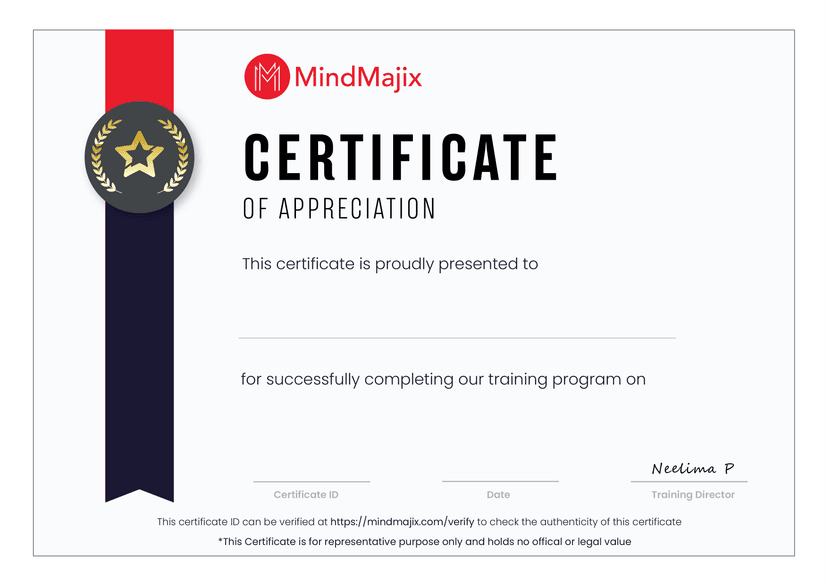
  • An Industry-recognized certificate by Mindmajix.
  • Shareable certificate - add to your LinkedIn profile
MindMajix certificate
Zoom

Powershell Instructor

Learn from the certified and real time working professionals.
instructor

Training by

Shinish , having 14+ yrs of experience

Specialized in:
PowershellAzureMS windows server

Shinish brings over 14 years of hands-on experience with global MNCs, specialising in PowerShell, Microsoft Azure, and Windows Server administration. Alongside delivering live training, Shinish writes technical articles and blogs to share practical automation expertise.

Honest Comparison

MindMajix Powershell vs Other Institutes

We believe in transparency. Here's how MindMajix stacks up against typical Powershell providers so you can compare value, support, and practical depth clearly.

Our CourseMindMajix

Powershell

learners726 learners
Other Institutes

Generic Powershell Providers

Curriculum

Course Content

MindMajix

Current PowerShell 7.x cross-platform scripting on modern .NET — cmdlets, object pipeline, functions, modules, error handling, remoting, and Windows/Linux/Azure automation.

Always current
Other Institutes

Often only legacy Windows PowerShell 5.1 command typing — no PowerShell 7 cross-platform features, module authoring, or real automation.

Frequently outdated
Curriculum

Hands-On Lab Access

MindMajix

Live pwsh labs and real projects — Active Directory, file/system tasks, and Azure automation with the Az module.

Included at no extra cost
Other Institutes

Mostly slide demos and copy-paste snippets, with little guided, hands-on script execution.

Limited / paid extra
Instructor

Trainer Credentials

MindMajix

Practising automation engineers with 6+ years of production PowerShell across Windows admin, DevOps, and cloud.

Verified expertise
Other Institutes

Freelance instructors of varying depth; many lack real production or cross-platform scripting experience.

Varies widely
Instructor

Trainer Continuity

MindMajix

One dedicated trainer per batch — consistent standards, uniform code review, and continuous mentorship.

Consistent trainer
Other Institutes

Trainers swapped mid-module, causing inconsistent scripting styles and disjointed learning.

Frequent changes
Support

Doubt Clearing

MindMajix

1-on-1 debugging for script errors, pipeline logic, modules, remoting, and execution policy.

Extended support
Other Institutes

Support ends with the live class — no dedicated channel to debug scripts later.

No post-training help
Placement

Job Assistance

MindMajix

GitHub portfolio, automation-focused resume/LinkedIn help, and direct hiring-partner referrals.

Active placement support
Other Institutes

Limited to generic broadcast emails or public job listings.

Mostly nominal
Placement

Mock Interviews

MindMajix

Structured rounds on cmdlets, pipeline logic, automation scenarios, and live code challenges with feedback.

Included
Other Institutes

Self-prepare only — no structured, scenario-based mock practice.

Not included
Schedule

Batch Flexibility

MindMajix

Weekday/weekend tracks with free batch changes or pauses, plus self-paced access.

Fully flexible
Other Institutes

Rigid schedules, few alternatives, and penalties for missed sessions.

Limited options
Certification

Exam Preparation

MindMajix

Prep mapped to PowerShell objectives in AZ-104 and Windows Server Hybrid Administrator certs and AZ-040 skills, with real scripting tests. Microsoft has no standalone PowerShell exam — and we say so.

Cert-aligned & honest
Other Institutes

Some claim a non-existent 'official PowerShell certification' or use generic multiple-choice tests.

Misleading exam claims
Value

Price Range

MindMajix

One all-inclusive price — labs, projects, recordings, certificate, and post-training support.

Best value for inclusions
Other Institutes

Low headline price, then extra charges for labs, materials, or mock tests.

Hidden add-on costs
Value

Recording Access

MindMajix

Lifetime-style HD recordings of every live session for revision and catch-up.

Lifetime-style access
Other Institutes

Restricted, time-limited access that expires soon after the final module.

Time-limited access

Powershell Training FAQs

About PowerShell Training in Chennai

This Powershell Training in Chennai assists you in achieving your objectives and climbing the corporate ladder. Our online training classes provide you the freedom to learn PowerShell commands and scripting at your own speed. Our live support is available 24 hours a day, 7 days a week to answer all of your queries. This PowerShell course also provides you with hands-on experience with industry projects from real-life mentors. Come learn Microsoft PowerShell from industry pros! Learn how to get the most out of PowerShell.

What will you learn in this PowerShell Course in Chennai?

This Windows PowerShell Training Course in Chennai will teach you the following:

  • How to use PowerShell from the ground up.
  • How to use PowerShell pipelines, scripts, and syntax.
  • How to use PowerShell to manage and control your Windows machines and servers.
  • The ability to construct functions and scripts using PowerShell fundamentals
  • Handle errors and debug scripts.
  • Execute administrative tasks such as file and folder manipulation and editing, as well as complex scripting.
  • Manage Workflow and Server Configurations

Who should take up this PowerShell Online Course in Chennai?

This PowerShell Online Training in Chennai is open to anyone interested in beginning a career in the scripting field.

What are the prerequisites for joining this PowerShell Training in Chennai?

None! Our instructors teach you from scratch.

What are the PowerShell job opportunities in Chennai?

Chennai is a popular destination in South India, with a large number of companies that make extensive use of PowerShell. For firms wishing to work with scripting processes, PowerShell is the tool of choice. As a result, there is a significant demand for PowerShell Professionals in Chennai. Getting PowerShell Online Training from the right institutes like Mindmajix can help you advance in your career.

What is the PowerShell market trend in Chennai?

Because of the rising number of enterprises employing this solution, the PowerShell market in Chennai is experiencing an uptick. With the correct set of abilities, one may make the most of this industry boom.

What are the most common employment roles that I can pursue after completing the training?

  • PowerShell Developer
  • PowerShell Engineer
  • PowerShell Administrator
  • PowerShell Architect

What are the advantages of using Mindmajix for PowerShell Training?

  • Labs that are easier to use
  • Expert and certified instructors with prior work experience in reputable companies
  • Individualized monitoring and attention
  • The perfect mix of instructor-led and learner-centered instruction.
  • The syllabus is tailored to your needs
  • Expert practical expertise in working on real-world projects is provided in this Powershell training course.
TESTIMONIALS
What Learners say about Mindmajix
Quote

I took an online course of...

(5/5)

I took an online course of Powershell from this institute and it was completely worth it. The trainer was quite experienced and gave me a proper understanding of the course that I took

AB

Ashish Bhardwaj

Bangalore

Quote

Learning with MindMjaix is great

(5/5)

Learning with MindMjaix is great.

AG

Aman Goyal

Hyderabad

Quote

As soon as I search for...

(5/5)

As soon as I search for PowerShell Training on google I found Mindmajix, enrolling for the course was an easy task, got continuous support from the trainer for the queries i had. Thanks for the support and i recommend highly mindmajix for online training seekers.

S

Sirisha

Student

logoOn-Job Support Service

Online Work Support for your on-job roles.

jobservice
@Learner@SME

Our work-support plans provide precise options as per your project tasks. Whether you are a newbie or an experienced professional seeking assistance in completing project tasks, we are here with the following plans to meet your custom needs:

  • Pay Per Hour
  • Pay Per Week
  • Monthly
Learn MoreContact us
Teams across the globe run on MindMajix
+
Learners, Careers Upskilled
  • +
    Courses, Largest LMS
  • +
    Corporates, Global Clients
STILL GOT QUERIES?

Get a Live FREE Demo

  • Explore the trending and niche courses and learning maps
  • Learn about tuition fee, payment plans, and scholarships
  • Get access to webinars and self-paced learning videos
Name
Course *
Email *
Phone Number

Find Online PowerShell Course in Other Locations

To meet the learning needs of people spread across various geographical locations, we are offering our high-quality training services at the location of your choice to ensure you obtain maximum impact for your training investment. Choose your city below.


BangaloreHyderabad

Training_Location

Process Automation CoursesView All